Cobblr for Yarn · cloud · free to start

Scan the band. That is the whole stash tracker.

Point your phone at the barcode on a ball of yarn. The brand, colorway, fiber, weight, and a photo arrive on their own. Your stash sits in your pocket, by color, with the dye lot when it matters, so the same blue never gets bought twice.

Twenty scans a day, free. No card, no app store.

Signing up takes your name, an email address, and a password. Nothing to install.

It's early. There are still rough spots, and I need people to break it. If something looks wrong, the Feedback button in the corner reaches a person. Read why

Fifteen seconds, one ball of yarn. The band is scanned, the catalog answers with the photo and the name, and colorway, fiber, and weight land in the stash.

How it works.

Three screens. Nothing to set up, nothing to type that the band already says.

1 · Scan

Point the phone at the band.

The barcode does the typing. The ball lands in your inbox with its photo, and the fiber and weight class already filled in. One tap adds it to the stash.

  • brand · colorway · fiber · weight
  • the catalog photo, or your own
  • no barcode? a photo of the band
The scan inbox in Cobblr for Yarn: a ball of Red Heart Super Saver identified from its barcode, its colorway, color, fiber and worsted weight filled in beside the catalog photo, ready to add to Yarn.

2 · Stash

Every ball, by color.

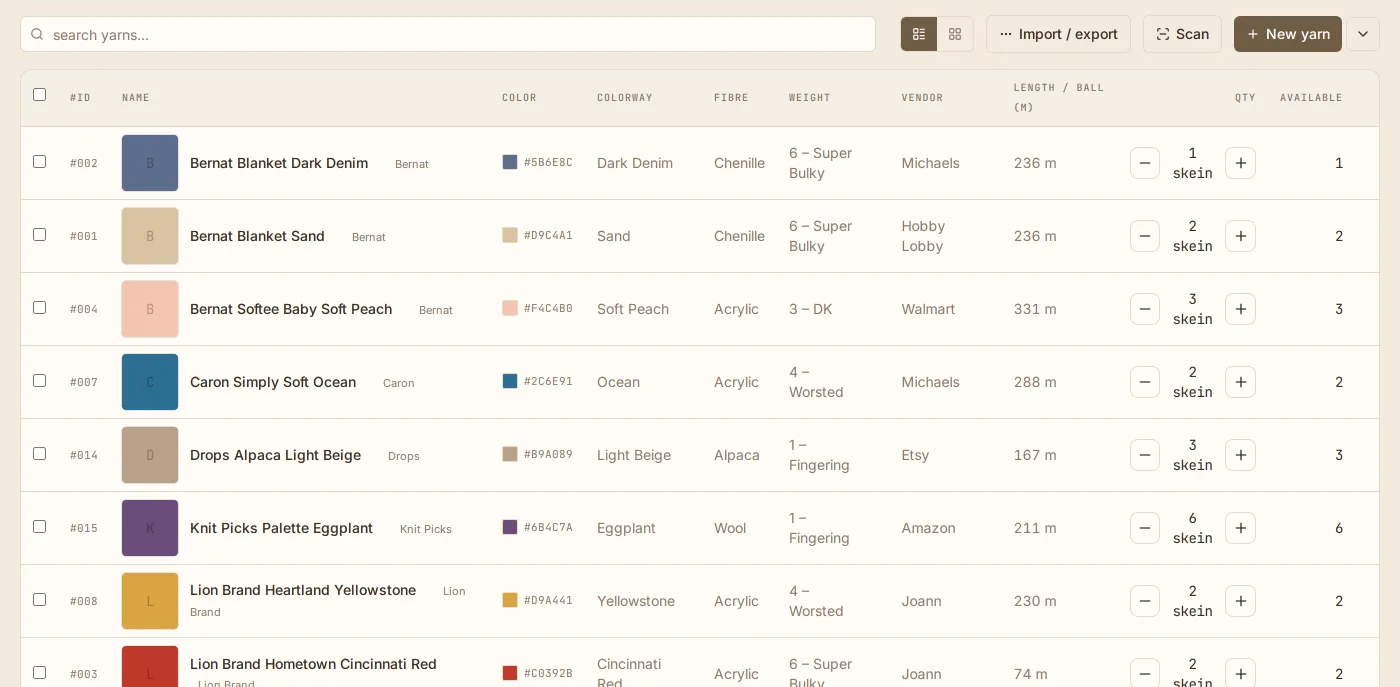
A swatch of the actual color beside each ball, a count you tap up or down, and the weight, fiber, and dye lot on the row. Search it in the shop before you buy.

  • a color swatch on every row
  • dye lot, when it matters
  • sort by weight, fiber, or where you bought it
The Yarn stash in Cobblr: a row for each yarn with its color swatch, brand, colorway, fiber, weight, where it was bought, metres per ball, and a count you can change in place.

3 · Use

Open a ball, and it is yours to use.

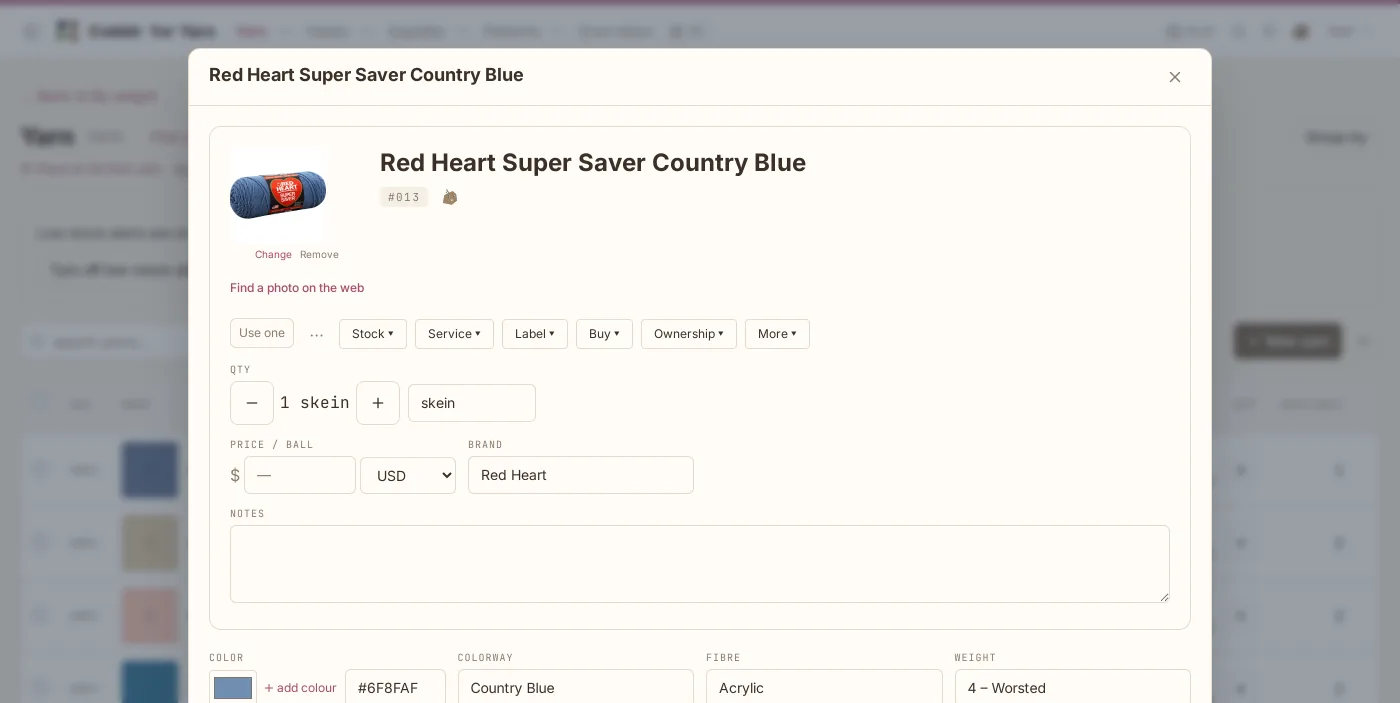
The photo, the count, a QR label to print for the bin, and the things you do with yarn: used one, used up, reserve it for a pattern so the stash knows those balls are spoken for.

  • used one · used up · reserve
  • a QR label for the bin
  • a pattern reserves its yarn
A ball of Red Heart Super Saver in Country Blue opened in Cobblr for Yarn: its photo, its count, its brand and price, and its actions.

Made for a stash, not for a spreadsheet.

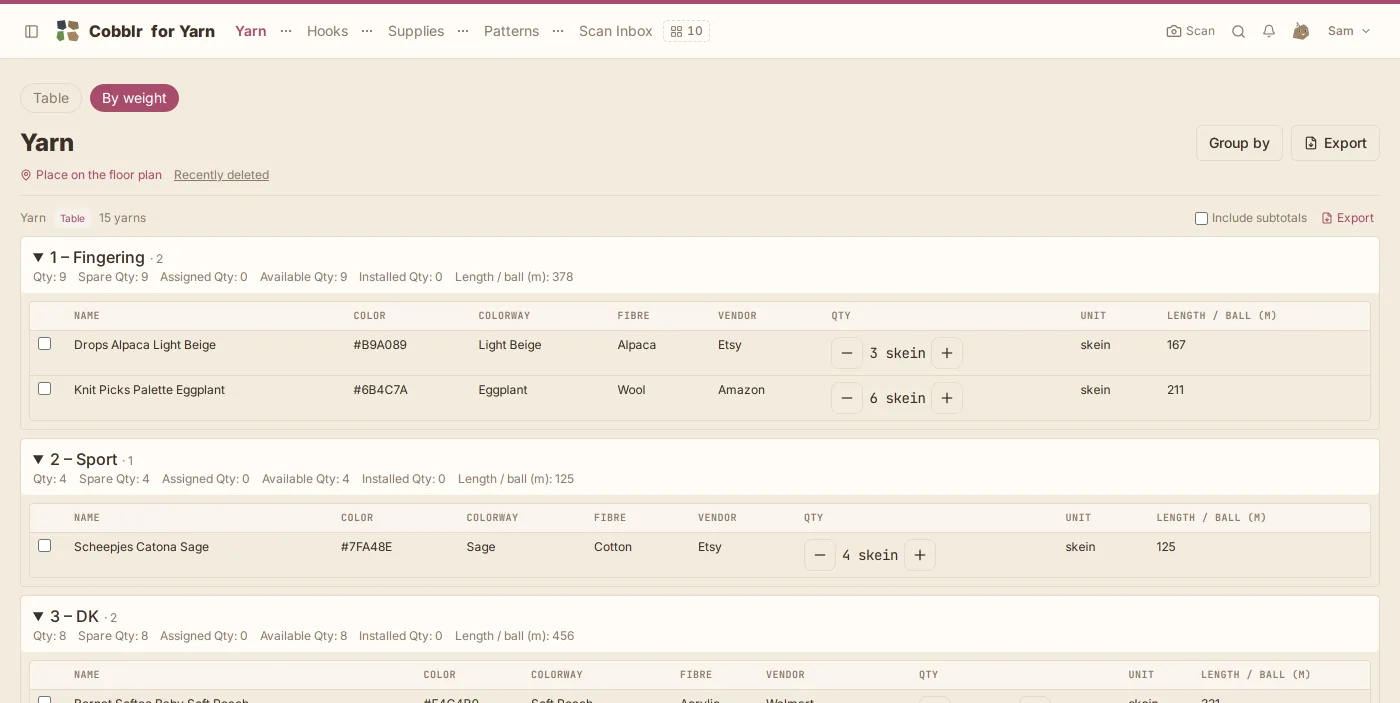
The fields a ball of yarn actually has, already there, with the words the band uses.

The stash grouped by weight in Cobblr for Yarn: fingering, sport and DK each a group with its total count, every yarn a row with its color, fiber and where it was bought.

The questions from the group chat.

Is it an app? Do I download something?

It opens in the browser you already have, on an iPhone or an Android phone. Add it to your home screen and it sits there like any app. Nothing from an app store, nothing to update. The same account works on a laptop, where the stash is a table you can sort and export.

What does it cost?

Nothing to start, and no card. Twenty band scans a day are included (a photo of the band is one; a barcode Cobblr can look up is free), and everything else has no limit: how many balls, how many patterns, how many hooks. If you need more scans in a day, that is the one thing you would ever pay for.

What if the band has no barcode, or the barcode is not known?

Take a photo of the band and it is read the same way. A hand-dyed ball from a small dyer becomes a row with your own name and photo, and the weight and fiber from the pick lists. The stash never refuses a ball because a catalog has not heard of it.

I already have a stash in a spreadsheet.

A spreadsheet comes in as a CSV, and any table exports back out as one, so you are never stuck here either.

Where does my data live?

In your own workspace, on our hosted service, exportable any time as CSV. Cobblr is source-available and you can run the whole thing on your own machine if you would rather.

What if I want more than yarn one day?

Cobblr for Yarn is the full platform wearing one outfit. The day you want the rest of the craft room, or the pantry, or the garage, the same workspace grows into the whole of Cobblr with everything you already entered.

Start with the ball of yarn nearest you.

Your stash is ready before you have found the band.

Get Cobblr for Yarn

Free to start. If something looks wrong, the Feedback button in the corner reaches a person.